
Text Snip
Draw a box around any text in a document and drop it straight into a cell.
Text Snip is the simplest extraction tool in Sheetminer: draw a box around any text in a document, and it lands in the cell you selected.
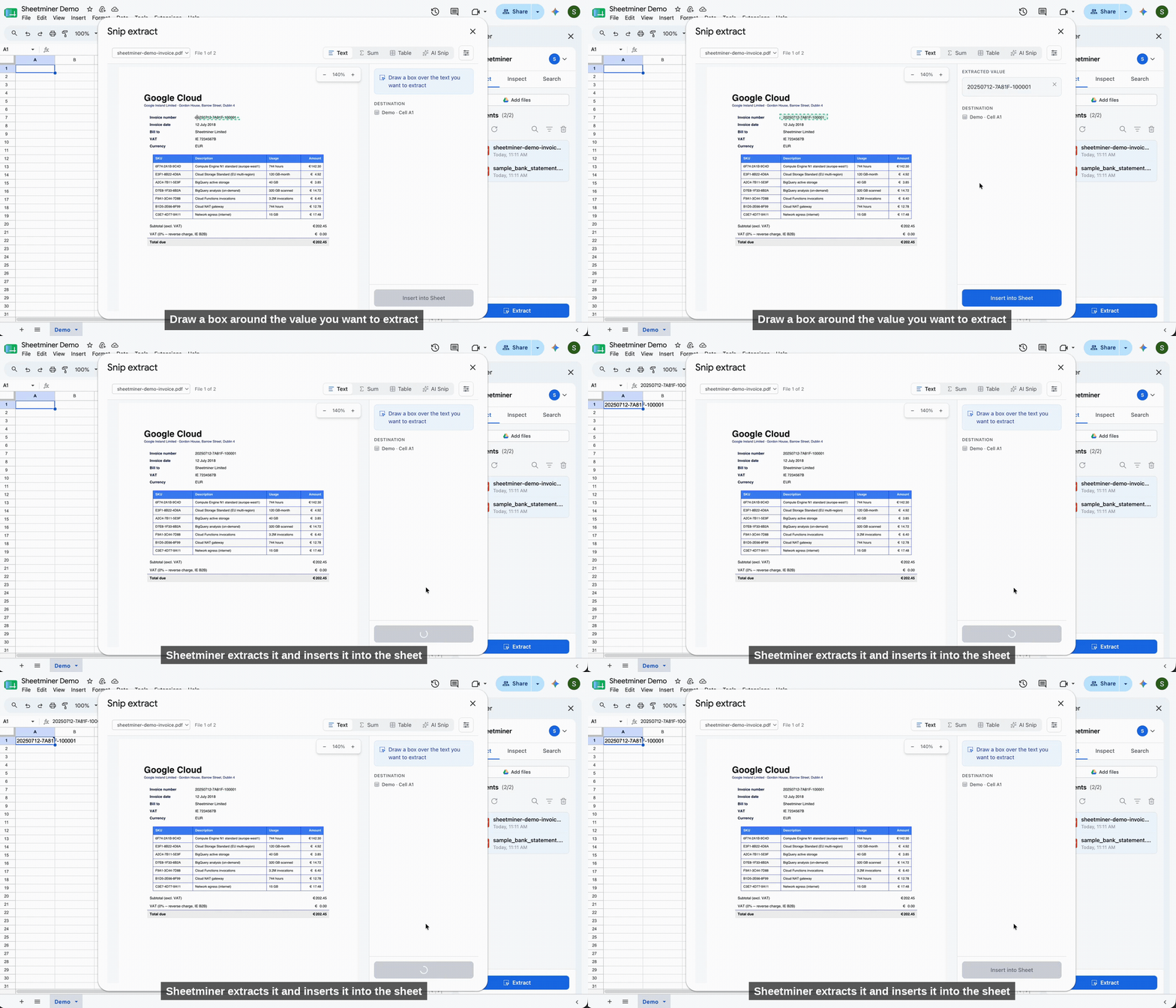
Text Snip: draw a box, extract the value.
How to use it
- Select the destination cell in your sheet.
- Click Extract to open the Snip extract window - it opens on the Text tab by default.
- In the document preview, click and drag to draw a box around the text you want. Use the zoom controls (top left of the preview) to get a closer look at small print before you draw.
- The recognized text appears in the Extracted value panel on the right. If it needs a small correction, you can edit it directly in that panel before inserting.
- Click Insert into Sheet.
What it’s good for
Text Snip works for any free-text value: an account number, a company name, an address, an invoice reference, a line of notes. Because it’s a direct box-to-cell extraction, there’s no field configuration needed - it’s the fastest way to pull a one-off value.
Source link
Every value inserted by Text Snip keeps a link back to its source. Select the cell afterward and use Inspect (see the Inspect page) to jump back to the exact spot in the document it came from.